
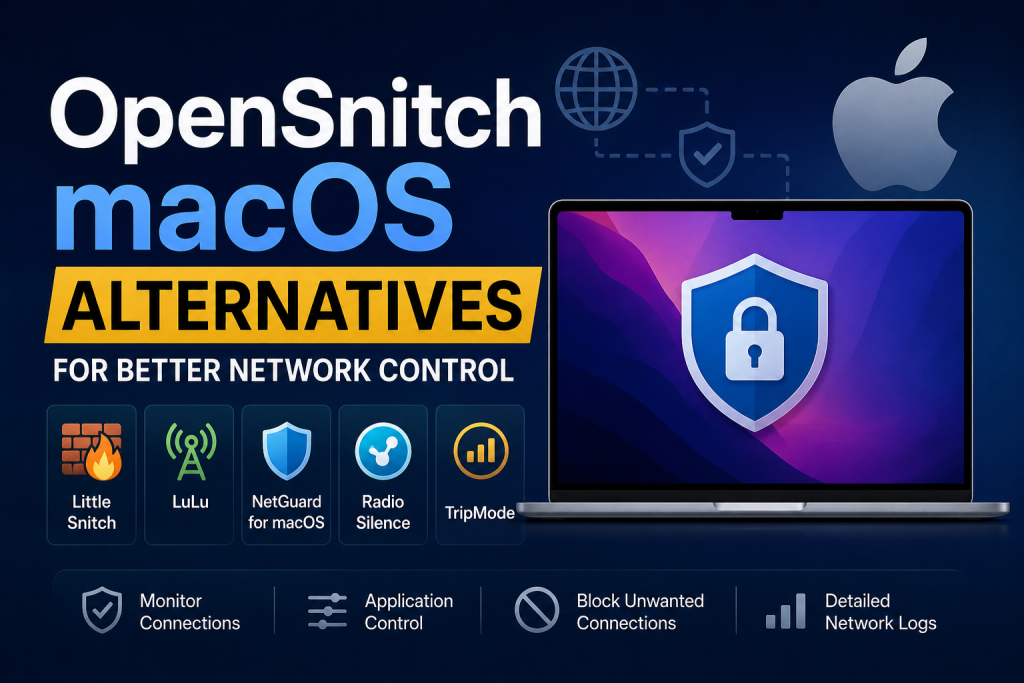
OpenSnitch macOS Alternatives for Better Network Control have become increasingly important for users who want stronger privacy, application-level monitoring, and complete visibility over internet activity on their devices. While OpenSnitch is widely appreciated in the Linux ecosystem, macOS users often search for tools that can provide similar outbound connection control with advanced security features and an intuitive interface.
OpenSnitch users moving to macOS usually want better traffic management, real-time alerts, network filtering, and application-specific firewall rules. The growing focus on online privacy, malware protection, and secure browsing has made network monitoring software an essential part of modern system security. Choosing the right OpenSnitch alternative can significantly improve control over internet connections and overall device protection.
Why Users Look for OpenSnitch Alternatives on macOS
macOS is known for its strong built-in security, but many users still require more detailed control over outgoing network traffic. OpenSnitch provides Linux users with application-level connection monitoring, allowing them to approve or block requests individually. Since OpenSnitch does not officially support macOS, users often search for alternatives that deliver similar functionality.
The demand for advanced firewall tools on macOS continues to grow because modern applications constantly communicate with external servers. Some programs send telemetry data, while others connect to tracking systems or cloud services in the background. Without visibility into these connections, users cannot fully understand what information leaves their devices.
A reliable OpenSnitch alternative for macOS should provide:
- Real-time connection monitoring
- Application-specific rules
- Outgoing traffic filtering
- DNS request visibility
- Malware and tracker blocking.
- Simple user interface
- Detailed logging and analytics
- Low system resource usage
These features help users maintain better privacy, improve security, and reduce unauthorized communication between applications and external networks.
Understanding Network Control on macOS
Network control refers to the ability to monitor, manage, and restrict internet communication between applications and external servers. Most operating systems include a built-in firewall, but standard firewalls primarily focus on incoming traffic.
Advanced network control software goes beyond basic firewall protection. It enables users to monitor outgoing connections in real time and decide whether a specific application should communicate with the internet.
For example, a browser extension, media player, or utility application may attempt to connect to tracking servers without user knowledge. With proper network control tools, users can identify these activities and stop unwanted communication.
Importance of Outbound Traffic Monitoring
Outbound traffic monitoring is essential because many privacy risks originate from applications sending data externally. Even trusted applications may collect analytics, usage statistics, or location information.
Effective outbound monitoring helps users:
- Detect suspicious network behavior.
- Block telemetry collection
- Prevent spyware communication
- Stop unauthorized data transfers.
- Monitor software updates
- Improve online privacy
- Reduce unnecessary bandwidth usage.
This level of control is particularly valuable for developers, cybersecurity professionals, researchers, and privacy-conscious users.
Key Features to Look for in an OpenSnitch Alternative
Choosing the best OpenSnitch alternative for macOS requires understanding which features matter most. Different tools focus on different areas of network management.
Application-Level Firewall Rules
A strong alternative should allow users to create rules for individual applications. This feature makes it possible to allow internet access for some apps while blocking others.
Granular application rules improve flexibility and provide greater control over network behavior.
Real-Time Alerts
Real-time notifications inform users whenever an application attempts to establish a new connection. Immediate alerts help users respond quickly to suspicious activity.
DNS Monitoring
DNS requests reveal which domains applications are trying to access. Monitoring DNS activity can help detect trackers, advertising networks, and potentially harmful domains.
Logging and Analytics
Detailed logs help users review past network activity. Some tools also provide charts, statistics, and traffic analysis features for deeper visibility.
Silent Mode and Smart Rules
Constant pop-ups can become overwhelming. Modern network control tools often include intelligent filtering systems that reduce unnecessary alerts while maintaining strong security.
Performance Optimization
An effective firewall should not significantly slow down the system. Lightweight operation is especially important for users running resource-intensive applications.
Best OpenSnitch macOS Alternatives
Several powerful network monitoring and firewall tools are available for macOS users. Each solution offers unique features, advantages, and use cases.
Little Snitch
Little Snitch is one of the most popular OpenSnitch alternatives for macOS. It specializes in outbound connection monitoring and application-based traffic control.
Main Features of Little Snitch
- Real-time network monitoring
- Interactive connection alerts
- Domain and IP filtering
- Traffic map visualization
- Silent mode support
- Rule-based network control
- Advanced analytics
Little Snitch provides extensive visibility into network communication. Whenever an application attempts to connect to the internet, users receive a detailed notification showing the destination server, protocol, and connection type.
Advantages of Little Snitch
One of the biggest advantages of Little Snitch is its polished interface. The software integrates smoothly with macOS and provides highly detailed monitoring capabilities.
The Network Monitor feature offers live traffic visualization, making it easier to understand system behavior.
Limitations of Little Snitch
Although highly powerful, Little Snitch may feel complex for beginners. Advanced configuration options can initially appear overwhelming.
Additionally, it is a premium application rather than a free open-source solution.
LuLu
LuLu is a free and open-source macOS firewall designed to block unknown outgoing connections unless explicitly approved by the user.
Main Features of LuLu
- Open-source architecture
- Outgoing connection blocking
- Lightweight performance
- Malware communication prevention
- Simple interface
- Minimal resource usage
LuLu focuses heavily on simplicity and security. It operates quietly in the background and alerts users whenever an application attempts a new network connection.
Advantages of LuLu
LuLu is ideal for users who want strong outbound filtering without paying for commercial software. It is lightweight, efficient, and beginner-friendly.
The open-source nature of the application also improves transparency and trust.
Limitations of LuLu
Compared to commercial alternatives, LuLu lacks advanced visualization tools and detailed analytics.
Users seeking enterprise-grade traffic management may prefer more feature-rich solutions.
Radio Silence
Radio Silence is another lightweight macOS firewall that focuses on simplicity and silent operation.
Main Features of Radio Silence
- One-click blocking system
- Quiet background operation
- Minimal interface
- Lightweight performance
- Application-specific blocking
Radio Silence is designed for users who prefer a simple firewall without complex dashboards or excessive notifications.
Advantages of Radio Silence
The software consumes very few system resources and works effectively for blocking unwanted network communication.
Its minimal design makes it easy for non-technical users to understand.
Limitations of Radio Silence
Radio Silence does not provide extensive connection analytics or real-time visualization.
Users requiring detailed network insights may find it too limited.
Vallum
Vallum is an advanced macOS firewall that combines application control with behavioral analysis.
Main Features of Vallum
- Behavioral monitoring
- Advanced rule management
- Malware protection
- Tamper resistance
- Process monitoring
- Automatic rule generation
Vallum emphasizes security automation and intelligent filtering.
Advantages of Vallum
The software includes powerful behavioral analysis capabilities that can detect suspicious activity beyond simple connection monitoring.
It is particularly useful for advanced users and cybersecurity professionals.
Limitations of Vallum
Its advanced configuration options may be difficult for beginners.
Some users may also find the interface less intuitive compared to other tools.
Murus
Murus is a graphical frontend for the built-in macOS PF firewall.
Main Features of Murus
- PF firewall management
- Rule customization
- Traffic filtering
- Network logging
- Advanced configuration
Murus allows users to manage firewall rules more efficiently without manually editing configuration files.
Advantages of Murus
It provides advanced firewall capabilities for users who want deeper control over packet filtering.
Power users appreciate its flexibility and integration with native macOS networking systems.
Limitations of Murus
Murus is more focused on traditional firewall management than application-level outbound control.
It may not fully replicate the OpenSnitch experience.
Hands Off!
Hands Off! is a security-focused firewall and network monitoring solution for macOS.
Main Features of Hands Off!
- File and network monitoring
- Application rules
- Internet connection blocking
- Advanced filtering
- Security notifications
The software combines network control with local file system protection.
Advantages of Hands Off!
Hands Off! provides deeper security integration than many traditional firewall applications.
Users can control both network access and file interactions.
Limitations of Hands Off!
The interface may require time to learn.
Some users may find the extensive feature set unnecessary for basic firewall needs.
Objective-See Firewall Tools
Objective-See develops several free security tools for macOS, including network monitoring utilities.
Main Features
- Malware detection
- Privacy protection
- Network activity monitoring
- Lightweight security utilities
Objective-See tools are highly respected within the cybersecurity community.
Advantages
The tools are free, security-focused, and actively maintained.
They are suitable for users who want additional monitoring layers alongside traditional firewall software.
Limitations
These tools are often specialized rather than full-featured firewall suites.
Users may need multiple utilities for comprehensive protection.
Comparing OpenSnitch Alternatives
Different users require different levels of network control. Some prioritize simplicity, while others need advanced analytics and enterprise-level management.
Best for Beginners
LuLu and Radio Silence are excellent choices for beginners due to their straightforward interfaces and lightweight operation.
Best for Advanced Users
Little Snitch and Vallum provide deeper visibility, detailed rules, and sophisticated traffic analysis.
Best Free Solution
LuLu stands out as one of the strongest free OpenSnitch alternatives for macOS.
Best for Security Professionals
Vallum and Objective-See utilities are highly suitable for advanced security environments.
Built-In macOS Firewall vs OpenSnitch Alternatives
macOS includes a built-in firewall that primarily manages incoming connections. While useful, it lacks detailed outbound application monitoring.
Limitations of the Built-In Firewall
- Limited outbound control
- Minimal application visibility
- No detailed analytics
- Basic configuration options
Why Third-Party Tools Matter
Third-party network control applications provide greater transparency and stronger privacy management.
Users gain the ability to:
- Monitor every connection attempt.
- Create advanced filtering rules.
- Analyze traffic patterns
- Block trackers and telemetry.
- Improve malware defense
Privacy Benefits of Network Monitoring Tools
Privacy concerns continue to grow as applications collect increasing amounts of user data.
Advanced firewall tools help users maintain stronger control over personal information.
Blocking Telemetry
Many applications send usage statistics and diagnostics to remote servers. Outbound filtering tools can prevent these connections.
Preventing Tracking
Advertising networks and trackers often communicate silently in the background. Firewall applications help identify and block these requests.
Reducing Data Exposure
Restricting unnecessary internet access reduces the risk of sensitive information exposure.
Security Benefits of OpenSnitch Alternatives
Strong network control tools improve overall system security.
Detecting Malware Activity
Malware frequently attempts to communicate with command-and-control servers. Firewall alerts can reveal suspicious behavior before major damage occurs.
Preventing Unauthorized Connections
Users can stop unknown applications from establishing internet communication.
Enhancing Threat Visibility
Detailed connection logs make it easier to investigate abnormal system activity.
How to Choose the Right OpenSnitch Alternative
Selecting the ideal firewall depends on user priorities and technical expertise.
Consider Your Technical Skill Level
Beginners often benefit from simpler interfaces, while advanced users may prefer detailed rule management.
Determine Your Privacy Needs
Users focused on privacy should prioritize outbound monitoring and DNS filtering.
Evaluate System Performance
Lightweight applications are preferable for users working on older hardware or resource-intensive tasks.
Review Feature Requirements
Some users only need basic blocking, while others require advanced analytics and behavioral analysis.
Open-Source vs Commercial Alternatives
macOS users can choose between free open-source tools and commercial firewall applications.
Benefits of Open-Source Solutions
- Transparency
- Community-driven development
- Free availability
- Privacy-focused architecture
Benefits of Commercial Solutions
- Advanced features
- Dedicated support
- Frequent updates
- Enhanced visualization
- Professional user experience
The choice depends on budget, technical preferences, and security requirements.
Firewall Rules and Best Practices
Creating effective firewall rules improves security without disrupting normal workflows.
Allow Trusted Applications
Essential applications such as browsers, productivity software, and cloud synchronization tools may require internet access.
Block Unknown Connections
Users should carefully review unfamiliar connection requests before granting access.
Use Temporary Permissions
Temporary rules help evaluate application behavior before creating permanent permissions.
Regularly Review Logs
Periodic log reviews help identify unusual traffic patterns.
Common Challenges with Network Control Tools
Despite their advantages, firewall applications can sometimes create usability challenges.
Excessive Notifications
New users may initially receive many alerts as applications request network access.
Application Compatibility
Some applications may malfunction if important connections are blocked.
Learning Curve
Advanced firewall configuration requires time and understanding.
False Positives
Legitimate applications may occasionally trigger suspicious-looking behavior.
Improving macOS Security Beyond Firewalls
Network control software works best when combined with broader security practices.
Keep macOS Updated
Regular system updates reduce vulnerabilities.
Use Strong Passwords
Secure credentials improve account protection.
Enable Two-Factor Authentication
Two-factor authentication adds an additional security layer.
Install Trusted Software Only
Downloading applications from trusted sources reduces malware risks.
Use Antivirus and Malware Detection Tools
Additional security software can complement firewall protection.
Enterprise Use Cases for OpenSnitch Alternatives
Businesses and organizations often require advanced traffic monitoring for compliance and security.
Employee Device Monitoring
Companies can monitor outbound traffic to prevent unauthorized data sharing.
Malware Prevention
Advanced firewall tools help identify suspicious communication patterns.
Compliance Requirements
Some industries require detailed network logging and traffic analysis.
Remote Workforce Protection
Organizations can secure remote employee devices through application-based firewall management.
Performance Impact of Firewall Applications
Most modern firewall tools are optimized for minimal system impact.
Factors Affecting Performance
- Number of active rules
- Real-time analytics
- Logging frequency
- Traffic inspection depth
Lightweight Alternatives
LuLu and Radio Silence are particularly efficient for users prioritizing low resource consumption.
Advanced Monitoring Trade-Offs
Sophisticated traffic analysis tools may consume additional CPU and memory resources.
Future of Network Control on macOS
The demand for privacy-focused software continues to rise.
Increased Privacy Awareness
Users are becoming more aware of background data collection and tracking.
Smarter Firewall Technologies
Future firewall applications may incorporate artificial intelligence for automatic threat detection.
Enhanced Visualization
Traffic mapping and analytics interfaces are expected to become more advanced.
Improved Automation
Future tools may automatically categorize trusted and suspicious behavior with greater accuracy.
Why OpenSnitch Remains Influential
Although OpenSnitch itself does not officially support macOS, its approach to application-level network monitoring has influenced many firewall solutions.
The software demonstrated the importance of transparency and user control over outbound traffic.
Its popularity among Linux users encouraged greater interest in privacy-focused firewall applications across multiple operating systems.
Best OpenSnitch Alternative Based on User Needs
Different users prioritize different aspects of network management.
For Maximum Visibility
Little Snitch offers some of the most detailed monitoring and analytics available on macOS.
For Free Open-Source Protection
LuLu remains one of the strongest free alternatives.
For Simplicity
Radio Silence is ideal for users who want silent background protection.
For Advanced Security
Vallum and Hands Off! provide deeper control and behavioral monitoring.
Tips for Beginners Using Firewall Applications
Users new to network monitoring should start gradually.
Learn Application Behavior
Understanding how common applications connect to the internet improves decision-making.
Avoid Blocking Essential Services
Blocking important system services may disrupt software functionality.
Use Learning Modes
Some applications include automatic learning modes that reduce unnecessary prompts.
Research Unknown Connections
Investigating suspicious domains helps improve security awareness.
Understanding Connection Types
Firewall applications often display various network protocols and connection types.
TCP Connections
TCP is commonly used for web browsing, downloads, and secure communication.
UDP Connections
UDP is frequently used for streaming, gaming, and real-time communication.
DNS Requests
DNS requests translate domain names into IP addresses.
Monitoring DNS activity helps identify hidden tracking systems.
How OpenSnitch Alternatives Improve Productivity
Strong network control tools can also improve system efficiency.
Reduced Background Activity
Blocking unnecessary communication reduces system overhead.
Better Bandwidth Management
Users can prevent applications from consuming excessive internet bandwidth.
Fewer Distractions
Silent blocking modes reduce intrusive background behavior.
Common Mistakes When Using Firewall Software
Incorrect firewall configuration can cause usability problems.
Blocking System Processes
Blocking critical macOS processes may affect system functionality.
Ignoring Alerts
Consistently approving all connections defeats the purpose of network monitoring.
Overcomplicated Rules
Excessively complex rule sets can become difficult to manage.
Failing to Update Software
Outdated firewall applications may contain vulnerabilities.
Balancing Security and Convenience
Effective firewall management requires balancing usability and protection.
Users should aim to maintain strong privacy without disrupting daily workflows.
Choosing software with smart automation features can help simplify network management.
The Role of OpenSnitch Alternatives in Cybersecurity
Modern cybersecurity increasingly depends on visibility and proactive defense.
Firewall applications are no longer just optional utilities. They have become essential components of comprehensive security strategies.
Application-level network monitoring improves:
- Threat detection
- Privacy protection
- Traffic transparency
- Malware prevention
- Data security
As digital threats continue evolving, advanced network control tools will remain highly valuable.
Conclusion
OpenSnitch macOS Alternatives for Better Network Control continue to play an important role in improving privacy, visibility, and cybersecurity for modern users. Since OpenSnitch itself is designed primarily for Linux systems, macOS users rely on powerful alternatives such as Little Snitch, LuLu, Radio Silence, Vallum, Murus, and Hands Off! to achieve advanced outbound traffic monitoring and application-based firewall management.
OpenSnitch inspired a growing demand for transparent network monitoring tools that empower users to understand and control internet communication on their devices. Whether the priority is privacy, lightweight performance, enterprise security, or advanced analytics, choosing the right OpenSnitch alternative can significantly strengthen macOS network protection while improving overall digital security.