
OpenSnitch alternatives are becoming increasingly popular among Linux and Windows users who want stronger network control, better privacy, and advanced application monitoring. While OpenSnitch is widely known for managing outgoing connections on Linux, many users search for alternatives that offer improved usability, broader platform support, or additional security features for personal and professional environments.
OpenSnitch alternatives can help users block unwanted traffic, monitor suspicious applications, and improve system-level privacy without relying on a single firewall solution. Some tools focus on lightweight performance, while others provide enterprise-grade protection with detailed analytics, customizable rules, and real-time monitoring capabilities for both beginners and advanced users.
Why Users Look for OpenSnitch Alternatives
OpenSnitch is an excellent outbound firewall for Linux systems, but it is not the perfect solution for every user. Many people search for alternatives because they need features that OpenSnitch does not fully provide. Others may want cross-platform compatibility, easier configuration, or more advanced monitoring capabilities.
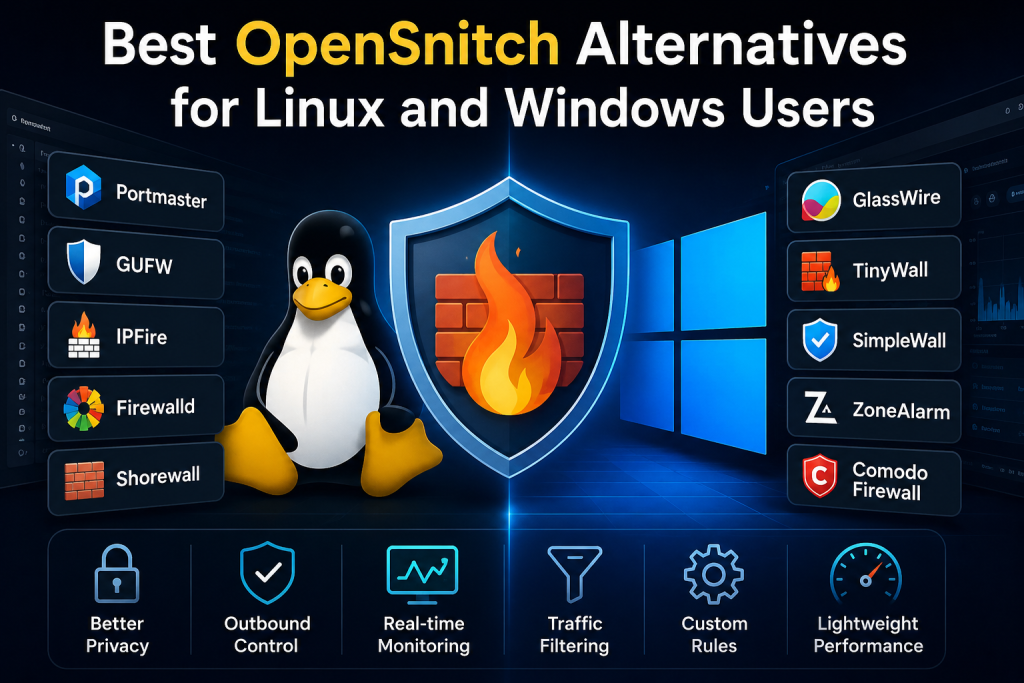
Modern users are more concerned about privacy and internet security than ever before. Applications constantly communicate with external servers, collect usage data, and transfer information in the background. A firewall capable of monitoring outgoing connections gives users direct control over which applications can access the internet.
Different operating systems also require different firewall approaches. Linux users often prefer lightweight open-source solutions, while Windows users may need software with graphical dashboards and simplified management. As a result, many powerful OpenSnitch alternatives have emerged for different use cases.
What Makes a Good OpenSnitch Alternative
Before selecting a firewall or network monitoring tool, users should understand the qualities that define a reliable OpenSnitch alternative.
Application-Level Monitoring
A strong firewall should identify which application is attempting to access the internet. This allows users to block suspicious or unnecessary connections instantly.
Real-Time Notifications
Real-time alerts are essential for monitoring outgoing traffic. Good firewall software immediately informs users when an unknown application requests internet access.
Rule-Based Filtering
Advanced firewall solutions allow users to create custom rules for applications, domains, IP addresses, ports, and protocols.
Lightweight Performance
Heavy firewall software can slow down a system. Efficient tools use minimal resources while maintaining reliable security.
Cross-Platform Support
Many users work across multiple operating systems. Software supporting Linux, Windows, and macOS provides greater flexibility.
Privacy Protection
Modern firewall tools should help block trackers, telemetry services, advertising networks, and suspicious background communications.
Best OpenSnitch Alternatives for Linux Users
Linux users have access to many advanced firewall and network-monitoring solutions. Some focus on simplicity, while others provide enterprise-level functionality.
Portmaster
Overview
Portmaster is one of the strongest OpenSnitch alternatives available today. It focuses on privacy, outbound connection control, and user-friendly management. The software is designed to give users complete visibility into network traffic.
Key Features
Application-Based Network Monitoring
Portmaster displays which applications are communicating with the internet in real time.
Tracker and Ad Blocking
The software blocks trackers and malicious domains automatically, improving privacy and browsing security.
Simple Interface
Unlike many Linux firewall tools, Portmaster offers an intuitive graphical interface suitable for beginners.
Network Statistics
Users can analyze bandwidth usage and monitor application behavior directly from the dashboard.
Advantages
- Easy to configure
- Excellent privacy controls
- Real-time connection monitoring
- Lightweight design
- Modern interface
Disadvantages
- Some advanced features require additional configuration.
- New users may still need time to understand firewall rules.
Best For
Users who want privacy-focused outbound firewall protection with a clean and modern interface.
GUFW
Overview
GUFW is a graphical frontend for UFW, the Uncomplicated Firewall available on Ubuntu and other Linux distributions. It simplifies firewall management for users who do not want to rely on terminal commands.
Key Features
Graphical Firewall Management
Users can configure firewall rules through an easy-to-use interface.
Incoming and Outgoing Rules
GUFW supports both inbound and outbound traffic management.
Profile Support
Different profiles can be created for home, public, and office networks.
Advantages
- Beginner-friendly
- Lightweight
- Easy installation
- Reliable Ubuntu integration
Disadvantages
- Less advanced than dedicated application firewalls
- Limited application-specific monitoring
Best For
Linux beginners looking for simple firewall protection without complex configuration.
IPFire
Overview
IPFire is a powerful open-source firewall platform designed for advanced security management. It is often used in enterprise and network environments.
Key Features
Intrusion Prevention System
IPFire can detect and block malicious network activity.
Advanced Network Segmentation
Users can separate trusted and untrusted network zones.
Web Proxy Support
The software includes filtering and proxy capabilities.
Advantages
- Enterprise-level security
- Highly customizable
- Strong network filtering
Disadvantages
- More complex setup
- Not ideal for casual desktop users
Best For
Advanced users and businesses require professional firewall management.
Firewalld
Overview
Firewalld is widely used in Fedora and Red Hat-based distributions. It provides dynamic firewall management and flexible rule configuration.
Key Features
Dynamic Rule Updates
Firewall rules can be modified without restarting services.
Zone-Based Security
Different network zones can have different security policies.
Integration with Linux Systems
Firewalld works smoothly with many enterprise Linux environments.
Advantages
- Stable and reliable
- Good enterprise support
- Dynamic configuration
Disadvantages
- Less user-friendly for beginners
- Requires networking knowledge
Best For
System administrators and advanced Linux users.
Shorewall
Overview
Shorewall is a powerful firewall configuration tool for Linux systems. It simplifies complex firewall setups using configuration files.
Key Features
Advanced Rule Management
Users can define highly detailed traffic rules.
Network Gateway Support
Shorewall works well in router and gateway environments.
IPv6 Compatibility
Modern network protocols are fully supported.
Advantages
- Extremely flexible
- Suitable for advanced networks
- Strong documentation
Disadvantages
- Steep learning curve
- Configuration may overwhelm beginners.
Best For
Professional administrators and advanced networking users.
Best OpenSnitch Alternatives for Windows Users
Windows users require different firewall solutions because of the operating system’s architecture and security framework. Fortunately, many excellent alternatives exist.
GlassWire
Overview
GlassWire is one of the most popular firewall and network-monitoring applications for Windows users. It combines visual analytics with strong security controls.
Key Features
Real-Time Monitoring
Users can see live network activity from every application.
Visual Traffic Graphs
The interface provides detailed graphical representations of bandwidth usage.
Security Alerts
GlassWire alerts users about suspicious network behavior.
Firewall Integration
The software works alongside the built-in Windows Firewall.
Advantages
- Attractive interface
- Excellent network visualization
- Beginner-friendly
- Real-time alerts
Disadvantages
- Some advanced features are premium-only
- Higher resource usage compared to lightweight tools
Best For
Windows users seeking a visually rich firewall solution.
TinyWall
Overview
TinyWall enhances the built-in Windows Firewall without overwhelming users with notifications.
Key Features
Silent Operation
Unlike many firewalls, TinyWall avoids excessive pop-up alerts.
Lightweight Performance
The software uses very little system memory.
Application Whitelisting
Users can quickly whitelist trusted applications.
Advantages
- Extremely lightweight
- Minimal interruptions
- Strong protection
Disadvantages
- Limited advanced analytics
- Less visual monitoring
Best For
Users want simple and lightweight Windows firewall management.
SimpleWall
Overview
SimpleWall is a lightweight open-source firewall application for Windows. It focuses on outbound traffic filtering and privacy control.
Key Features
Outbound Connection Filtering
Users can block applications from accessing the internet.
Windows Filtering Platform Integration
The software integrates directly with Windows networking components.
Low Resource Usage
SimpleWall performs efficiently even on older systems.
Advantages
- Open-source
- Lightweight
- Excellent privacy protection
Disadvantages
- The interface may appear technical.
- Fewer visual tools
Best For
Privacy-focused users who prefer lightweight open-source tools.
ZoneAlarm
Overview
ZoneAlarm has been a trusted firewall solution for many years. It combines firewall protection with additional security features.
Key Features
Two-Way Firewall
Both incoming and outgoing traffic are monitored.
Identity Protection
Additional security features help protect personal information.
Threat Detection
The software blocks suspicious connections automatically.
Advantages
- Long-standing reputation
- Strong security tools
- Beginner-friendly interface
Disadvantages
- Can use more system resources
- Some features require paid plans.
Best For
Users seeking a traditional security suite with firewall protection.
Comodo Firewall
Overview
Comodo Firewall is known for its advanced containment technology and strong network protection.
Key Features
Sandbox Environment
Unknown applications can run inside isolated environments.
Intrusion Prevention
The software detects suspicious activity in real time.
Advanced Firewall Controls
Users can create highly customized rules.
Advantages
- Powerful protection
- Advanced features
- Suitable for professionals
Disadvantages
- Complex configuration
- Heavy for older systems
Best For
Advanced Windows users require maximum security control.
Cross-Platform OpenSnitch Alternatives
Some firewall solutions support multiple operating systems, making them ideal for users who work across Linux and Windows environments.
pfSense
Overview
pfSense is a highly respected open-source firewall and router platform used by professionals worldwide.
Key Features
Enterprise Firewall Capabilities
Supports advanced filtering and traffic management.
VPN Integration
Provides secure remote access options.
High Customization
Users can configure detailed network policies.
Advantages
- Extremely powerful
- Enterprise-grade features
- Large community support
Disadvantages
- Requires dedicated hardware in many cases
- Not beginner-friendly
Best For
Businesses and advanced network administrators.
OPNsense
Overview
OPNsense is a modern firewall platform focused on usability and security.
Key Features
Modern Interface
The dashboard is cleaner and more intuitive than many competitors.
Frequent Security Updates
Regular updates improve system protection.
Plugin Ecosystem
Additional features can be installed through plugins.
Advantages
- Strong security
- User-friendly interface
- Active development
Disadvantages
- Advanced setup may still require expertise.
Best For
Users want enterprise security with better usability.
Linux Firewall Tools vs Windows Firewall Tools
Linux and Windows firewall solutions differ significantly in architecture and user expectations.
Linux Firewall Philosophy
Linux firewall tools often prioritize flexibility, open-source development, and command-line control. Advanced users appreciate the ability to create highly customized rules.
Windows Firewall Philosophy
Windows firewall applications usually focus on graphical interfaces, ease of use, and integration with built-in Windows security features.
Resource Usage Differences
Linux firewall applications generally consume fewer resources, while Windows solutions may include additional security layers that increase system usage.
Security Approaches
Linux tools often rely on manual configuration and transparency. Windows tools commonly automate many security decisions for convenience.
Important Features to Compare Before Choosing an Alternative
Selecting the right OpenSnitch alternative requires careful comparison of several important features.
Ease of Installation
Some firewall tools require advanced networking knowledge, while others can be installed in minutes.
Rule Customization
Power users may need detailed filtering options for applications, protocols, ports, and domains.
User Interface
A clean interface improves usability and simplifies firewall management.
Resource Consumption
Lightweight software ensures better system performance.
Community Support
Strong community forums and documentation help users troubleshoot problems quickly.
Update Frequency
Frequently updated software receives better security improvements and compatibility fixes.
Privacy-Focused OpenSnitch Alternatives
Privacy has become one of the main reasons users seek firewall solutions. Some alternatives focus specifically on preventing data collection and telemetry tracking.
Portmaster for Privacy
Portmaster automatically blocks many tracking domains and suspicious communications.
SimpleWall for Windows Privacy
SimpleWall allows users to disable unwanted Windows telemetry connections effectively.
pfSense for Network Privacy
pfSense enables advanced network filtering and DNS-level protection.
Firewall Security Best Practices
Even the best firewall software requires proper usage to remain effective.
Keep Rules Organized
Avoid creating unnecessary or conflicting firewall rules.
Regularly Review Connections
Check which applications frequently access the internet.
Update Firewall Software
Outdated software may contain security vulnerabilities.
Avoid Blindly Allowing Connections
Users should carefully review unknown applications before granting internet access.
Combine Firewall Protection with Antivirus
Firewalls and antivirus software work best together.
Common Mistakes Users Make with Firewall Software
Many users weaken their security by making configuration mistakes.
Disabling Notifications Completely
Important alerts may reveal suspicious application behavior.
Allowing Unknown Applications
Blindly approving all requests defeats the purpose of outbound filtering.
Ignoring Updates
Firewall vulnerabilities can remain unpatched if updates are ignored.
Overcomplicated Rules
Too many unnecessary rules can create confusion and conflicts.
Open-Source vs Proprietary Firewall Solutions
Users often debate whether open-source or proprietary firewall software is better.
Benefits of Open-Source Solutions
Transparency
Anyone can inspect the source code for vulnerabilities.
Community Development
Large communities contribute improvements and bug fixes.
Better Privacy
Open-source tools are generally trusted more for privacy.
Benefits of Proprietary Solutions
Professional Support
Commercial software often provides customer support services.
Simplified Interfaces
Many proprietary tools prioritize user-friendly design.
Integrated Security Features
Commercial products may include antivirus and anti-malware tools.
Which OpenSnitch Alternative Is Best for Beginners
Beginners should focus on ease of use and simple configuration.
Best Linux Option for Beginners
GUFW provides an excellent balance between simplicity and reliability.
Best Windows Option for Beginners
GlassWire offers easy monitoring with attractive visual graphs.
Which OpenSnitch Alternative Is Best for Advanced Users
Advanced users usually prioritize customization and detailed traffic control.
Best Linux Option for Professionals
IPFire and Shorewall offer enterprise-grade capabilities.
Best Windows Option for Professionals
Comodo Firewall provides advanced sandboxing and intrusion prevention.
Performance Impact of Firewall Software
Firewall tools inevitably consume system resources, but efficient solutions minimize performance impact.
Lightweight Alternatives
TinyWall and SimpleWall are among the lightest Windows firewall tools.
Resource-Heavy Alternatives
Advanced security suites with analytics and sandboxing typically use more memory and CPU power.
Balancing Security and Performance
Users should select software matching their hardware capabilities and security requirements.
Future of Firewall and Application Monitoring Software
Firewall technology continues evolving as cyber threats become more sophisticated.
AI-Powered Threat Detection
Future firewalls may automatically detect suspicious behavior using machine learning.
Cloud-Based Monitoring
Some modern security platforms already analyze network traffic through cloud systems.
Increased Privacy Controls
Growing privacy concerns will continue driving demand for outbound monitoring tools.
Cross-Platform Integration
More firewall solutions will likely support Linux, Windows, and macOS together.
How to Choose the Right OpenSnitch Alternative
The ideal firewall solution depends entirely on the user’s needs.
For Privacy Enthusiasts
Portmaster and SimpleWall provide excellent privacy-focused protection.
For Enterprise Networks
pfSense and IPFire offer enterprise-level security capabilities.
For Casual Home Users
GlassWire and GUFW simplify firewall management for everyday users.
For Advanced Technical Users
Comodo Firewall and Shorewall provide detailed customization options.
Conclusion
OpenSnitch alternatives provide users with powerful ways to monitor outgoing traffic, improve privacy, and strengthen system security across Linux and Windows environments. Whether someone needs lightweight firewall management, advanced enterprise protection, or privacy-focused outbound filtering, there are many reliable solutions available today.
OpenSnitch users should carefully compare features such as application monitoring, real-time alerts, resource usage, and customization capabilities before selecting an alternative. Beginners may prefer simpler tools like GUFW or GlassWire, while advanced users can benefit from professional-grade platforms such as pfSense, IPFire, or Comodo Firewall. The right firewall solution ultimately depends on individual security goals, technical expertise, and operating system requirements.